














Happy Room












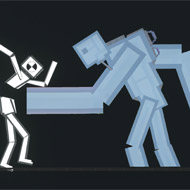
You drop a saw blade into the corner of the room, wire it to a pressure plate, and hit start expecting a clean, single hit — instead the clone bounces off the wall, clips a second trap you’d forgotten was still armed, and the whole thing spirals into a chain reaction you didn’t actually plan. That’s Happy Room in one attempt.
| Genre | Physics puzzle simulation |
| Core Mechanic | Arrange weapons and traps to damage a test clone, then watch the chain reaction |
| Best For | Players who enjoy tinkering and replaying setups for better results |
Setting Up the Lab in Happy Room
Every round of Happy Room starts the same way — an empty room, a clone standing somewhere inside it, and a set of tools available to place before pressing start. Placement matters more than it looks like it should; the same weapon dropped a few tiles to the left can completely change how the following chain reaction unfolds once the sequence actually begins.
Once you hit start, control mostly leaves your hands. Happy Room is less about direct control during the reaction and more about predicting how physics, timing, and the clone’s own movement will interact with whatever’s been placed in the room beforehand.
The Clone Is the Only Constant in Happy Room
The test subject at the center of every setup is referred to simply as the clone, and its reactions to damage are consistent enough to plan around — but its exact movement path within the room can still introduce enough unpredictability that a setup which worked once doesn’t always repeat identically on a second attempt.
Reading Damage Types Before You Build
Different tools in Happy Room cause different kinds of harm — some are built around blunt force, others around burning, poisoning, or more exotic effects, and challenge objectives often specify a particular kind of damage rather than just “defeat the clone.” Understanding which tools apply which effect is the difference between meeting a challenge’s actual requirement and just causing damage in general.
Simple Tools vs Elaborate Machines
The available arsenal ranges from straightforward objects like hammers and saws up through far more elaborate machines — lasers, robots, and even black holes among the more advanced unlocks. Starting setups tend to lean on the simple tools because they’re predictable, while more elaborate machines introduce timing and interaction effects that take longer to learn to control reliably.
- Simple tools like hammers and saws are the most predictable starting point for new players.
- Elaborate machines like lasers and black holes reward planning but punish careless placement more severely.
- Combining multiple tool types in one setup is where Happy Room’s chain-reaction appeal really comes from.
Using the Room Itself as a Weapon
The floor, walls, and ceiling aren’t just boundaries — they’re part of the toolkit. Projectiles ricochet off walls, the clone can be trapped against a surface to amplify a device’s effect, and experienced players plan around these surfaces as deliberately as they plan around the tools themselves. A weapon that looks weak in an open layout can become far more effective once the room’s geometry is used to funnel its effect toward the clone.
Challenges and What They Actually Ask For
- Some challenges specify a damage amount, which rewards efficient, repeatable setups over elaborate ones.
- Others require a specific injury type, meaning raw damage output alone won’t satisfy the objective.
- Time-limited or tool-limited challenges force creative use of whatever’s available instead of relying on a favorite go-to setup.
Unlocking the Arsenal
The full tool roster in Happy Room isn’t available from the start. Completing challenges and hitting specific milestones unlocks new and more powerful instruments over time, which means the early game deliberately limits players to a smaller toolkit before the more elaborate machines like plasma guns and black holes become available to experiment with.
The Level Editor and Community Creations
Beyond the built-in challenges, Happy Room includes a level editor that lets players build entirely custom rooms and scenarios, then share them for others to try. This is where a lot of the game’s long-term replay value comes from — the built-in challenge list has a fixed end, but community-made rooms don’t.
What Beginners Get Wrong
The most common early mistake is overloading a room with every unlocked tool at once, hoping quantity alone produces a satisfying reaction. In practice, a smaller number of well-placed tools tends to produce more reliable and more damaging chains than a cluttered room where devices interfere with or block each other. It’s also worth acknowledging that the physics-driven randomness some players love — where a setup plays out slightly differently each time — is the same thing other players find frustrating when trying to nail a specific challenge requirement exactly.
Frequently Asked Questions
- Do I need to unlock every tool to complete the challenges? No — many early and mid-tier challenges in Happy Room are solvable with the basic starting tools, and the more elaborate machines mainly open up new creative options rather than being required for progress.
- Why does the same setup sometimes produce different results? The clone’s movement and the physics simulation introduce enough variability that identical placements don’t always play out identically, which is part of why Happy Room rewards setups that are reliable rather than setups that only work once.
- Is the level editor necessary to enjoy the game, or is it optional? It’s entirely optional — the built-in challenges provide a full experience on their own, but the editor and community-shared rooms are where players who finish the challenge list tend to keep coming back.
Happy Room never asks you to master anything more complicated than placement and timing, but that simplicity is exactly why one perfectly aimed saw blade or one carelessly placed black hole can turn a room into a chain reaction you’re still thinking about after the run ends.
Comments
There are no reviews yet. Be the first one to write one.